
Planning a wireless connection between buildings or a remote CCTV location? This Tenda O8 CPE guide explains the specifications that matter, how to approach setup and what to verify before choosing a link. Start with the required traffic, a clear radio path and compatible power—not the advertised distance alone.
What Is the Tenda O8 CPE?
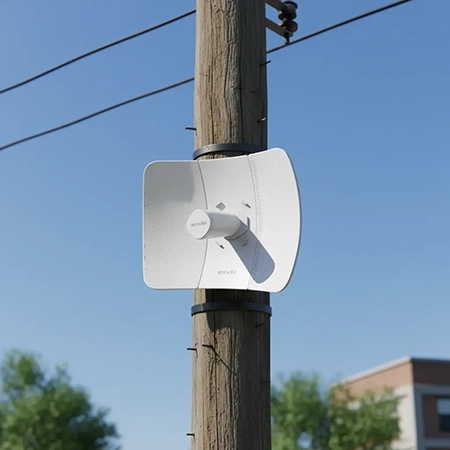
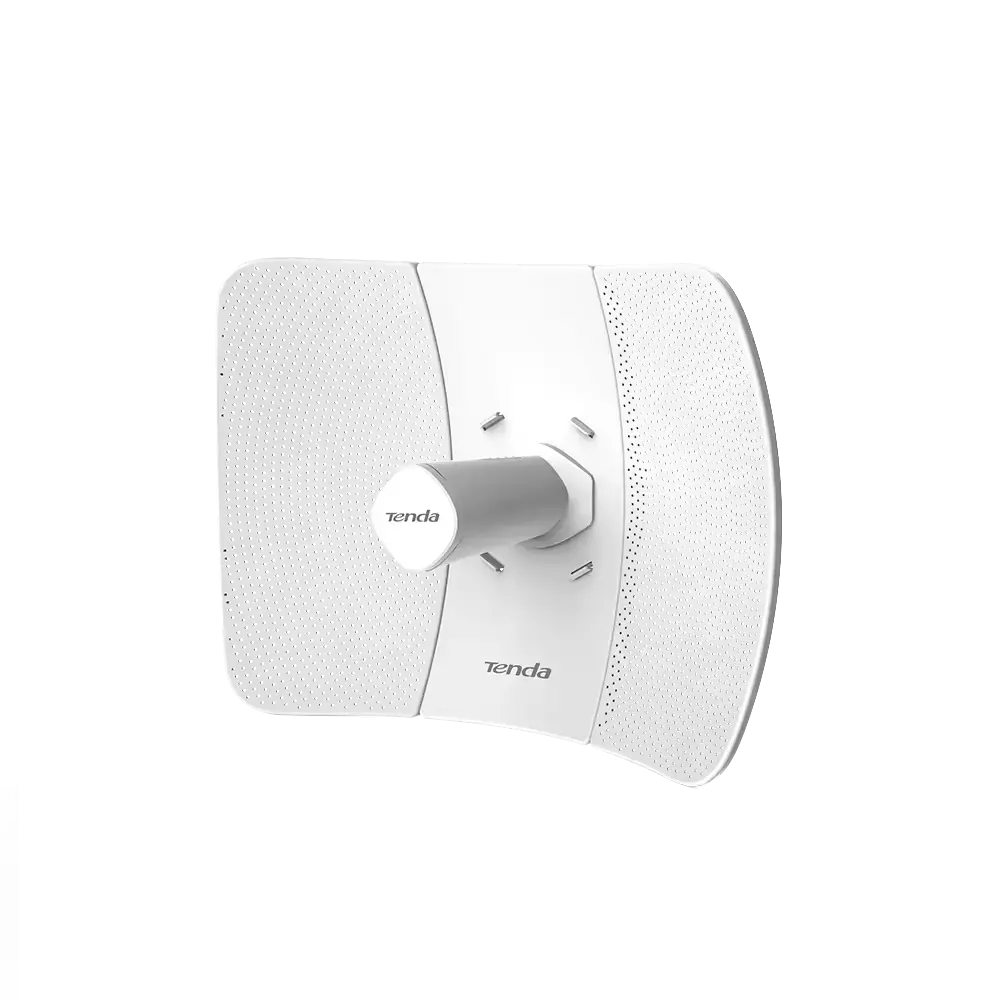
The Tenda O8 CPE is a directional outdoor wireless device for linking separated network locations. A typical point-to-point deployment uses one radio at each end: one connects to the source network and the other feeds a remote switch, camera network or access point. It is useful when running a cable across a road, open land or a gap between buildings is impractical.
Its role is different from a room-coverage Wi-Fi router, a cellular modem or a fiber ONU. The O8 uses a 5 GHz radio link; it does not take a SIM card or terminate a GPON fiber service. A site can use fiber for its main connection and a wireless bridge for a separate remote segment.
This guide is a specification-based planning resource, not a hands-on performance review. For the model listed on Foclink, see our Tenda O8 outdoor CPE product page. Confirm the exact hardware revision, region and supplied power accessories before ordering.
Tenda O8 Specifications at a Glance
| Item | Official specification | Planning implication |
|---|---|---|
| Radio | 5 GHz; IEEE 802.11a/n/ac | Check the permitted local channels and channel availability. |
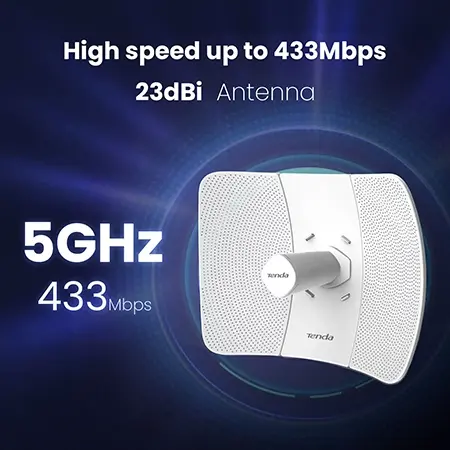
| Wireless rate | Up to 433 Mbps PHY rate | This is a radio signaling rate, not measured application throughput. |
| Wired interface | One 10/100 Mbps Ethernet port | The Ethernet handoff limits traffic to below 100 Mbps of application payload. |
| Antenna | 23 dBi; vertical polarization | Align both ends and preserve matching polarization. |
| Power | 12 V / 1 A passive PoE supply; stated input range 9–35 V DC | Use a verified compatible injector, pinout and voltage. |
| Enclosure | IP65 | Protect cable entries and follow the installation instructions. |
| Management | Web interface and CPE Assistant | Plan secure management access and configuration backups. |
Source: Tenda O8 official specifications. Specifications describe the listed model and may vary with revisions. Procurement should be checked against the label and documentation of the units actually supplied.
433 Mbps Wireless Does Not Mean 433 Mbps Ethernet
The most important buying distinction is between wireless PHY rate, Ethernet port rate and usable throughput. They describe different parts of the connection. Radio airtime is consumed by protocol overhead, acknowledgements, retransmissions and traffic in both directions. Interference and lower modulation rates reduce capacity further.
The O8 also has a 100 Mbps wired port. Even with a clean radio link, a wired client cannot receive 433 Mbps through that port. Treat this model as a Fast Ethernet bridge, rather than a way to extend a gigabit service at full speed. If your requirement exceeds 100 Mbps at the Ethernet handoff, select equipment with gigabit ports and sufficient independently verified radio capacity.
For CCTV, add the cameras’ configured peak bitrates, management traffic and other shared traffic before allowing operating headroom. For example, six streams configured at 8 Mbps total 48 Mbps before additional overhead and bitrate peaks. That arithmetic is a demand estimate, not a claim that an O8 link will support six cameras at every distance. Test the actual workload before acceptance.
Buying checkpoint: set a minimum usable throughput and a maximum acceptable latency for your application. Do not select an outdoor bridge from the advertised wireless number alone.
How Far Can a Tenda O8 Link Reach?
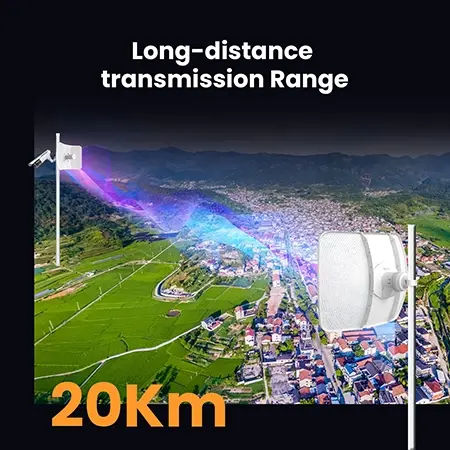
Tenda advertises roughly 20 km for the O8 under suitable conditions. That figure is a product positioning claim, not a guarantee for a particular rooftop or installation. Neither a strong antenna nor a short distance can compensate for an obstructed path, poor alignment or severe interference. See the manufacturer’s O8 feature and application information.
Check the complete path before buying. A visible line between antennas is only the first check: the surrounding Fresnel zone also needs clearance. Trees, terrain and a roof edge can obstruct that zone even when the remote mounting point is visible. Long paths need a path profile that considers terrain, mounting heights and Earth curvature. Leave margin for seasonal foliage, weather and local radio activity.
Request a site survey when the link is long, business critical or difficult to access. Record coordinates, photographs facing both directions, mounting heights and obstacles. Choose the link using a link budget and a required service level. A long-distance association at a low rate is not equivalent to a link that meets your application’s throughput target.
AP, Station and WISP: Choose the Right Network Design
For a straightforward two-building bridge, the usual starting point is AP at the source end and Station at the remote end. Transparent bridging can extend an Ethernet segment, but routing, VLANs and access controls still need an intentional design. For multiple remote locations, assess the base-station antenna coverage and shared airtime instead of assuming one directional radio will cover every direction.
WISP mode adds a routed client use case. It may be appropriate when the upstream network and the remote LAN need different addressing and routing. It is not a substitute for deciding where DHCP, NAT and firewalling belong. Adding a second router without checking the existing network can create double NAT or conflicting DHCP services.
TD-MAX is Tenda’s proprietary airtime-scheduling feature. Do not assume that another brand’s radio will participate in that feature. If mixing equipment, verify the exact operating mode and firmware combination, and test it before installation. A common frequency and a similar connector shape are not evidence of complete interoperability.
A directional CPE link connects locations. If the remote building also needs indoor Wi-Fi coverage, connect an appropriate indoor access point or router on that side.
Tenda O8 Setup: A Practical Commissioning Sequence
Menu labels and available controls can vary by firmware. Follow the quick installation guide for the exact revision; the sequence below explains what to configure and verify, rather than inventing a universal screen-by-screen procedure.
- Prepare both radios on a bench. Check model labels, accessories and firmware support. Save existing settings if a unit has been used before. Keep each radio reachable through a known management connection.
- Set management access. Give the two devices unique management IP addresses that fit your management network and do not conflict with the DHCP pool. Change default credentials and keep a record of the addresses.
- Configure the radio roles. Set the source and remote roles for the intended bridge or routed design. Use a recognizable link name and the strongest suitable security mode supported by the supplied firmware. Do not use an open link or WEP.
- Match radio parameters. Use the correct country or region, a permitted channel, compatible security settings and an appropriate channel width. Do not change the region to unlock restricted channels.
- Verify the network design. Check where DHCP and routing operate. Test any VLANs your application requires. Avoid redundant cable paths that could create a switching loop.
- Mount and align. Install both units on stable supports, match polarization and fine-tune alignment using the radio’s link indicators and diagnostic information. Secure the adjustment after testing.
- Test application traffic. Measure local end-to-end transfer, latency and packet loss under load. Then test the actual cameras or business applications, including simultaneous traffic.
- Document and hand over. Record firmware, management addresses, channel settings, mounting positions and test results. Export configurations and agree on acceptance criteria with the operator.
Passive PoE and Outdoor Installation Checks
Passive PoE must be matched deliberately. The official O8 specification lists power on pins 4/5 positive and 7/8 negative. Verify voltage, polarity, connector wiring and the supplied revision’s guide before connecting power. A generic PoE switch should not be assumed compatible simply because it has RJ45 ports; IEEE 802.3af/at negotiation and passive power are different arrangements.
Use the specified injector and suitable outdoor cable. Protect entries from water, provide a drip loop and relieve cable strain. Account for voltage drop along the cable rather than assuming that any Ethernet cable length will power the unit reliably. The presence of a single Ethernet port also means that a camera or switch at the remote site needs its own appropriate power arrangement.
Plan grounding and surge protection according to the site and manufacturer instructions, with qualified installation help where required. A surge-resistance rating does not make equipment immune to lightning. The mounting location must also remain safe to access for inspection and maintenance.
When to Choose O8, Another Wireless Bridge or Fiber
| Requirement | Direction to evaluate |
|---|---|
| Separated sites with a clear path and moderate traffic | O8 can be a candidate; confirm capacity in a site test. |
| More than 100 Mbps at the wired handoff | Evaluate a gigabit-port bridge with adequate measured throughput. |
| Trees, buildings or terrain obstruct the path | Reposition mounts, design an intermediate link or evaluate cable. |
| Stable high capacity with an available cable route | Compare fiber construction and lifecycle cost with wireless. |
| Broad coverage for phones or many indoor clients | Use an access-point design appropriate to the client coverage area. |
Fiber and wireless solve different deployment problems. Wireless can avoid trenching where a practical path exists, while fiber can provide a dedicated medium without sharing the radio channel. Compare installation cost, required uptime, bandwidth growth, access for repairs and interference exposure rather than choosing solely from equipment price.
For sites combining fiber backhaul and remote access, explore Foclink’s FTTx solutions for ISPs and telecom operators. If the wired segment needs optical transceivers, our SFP module selection guide explains the separate checks for speed, fiber type and optical compatibility.
Common O8 Link Problems and What to Check First
| Symptom | Checks before replacing hardware |
|---|---|
| Radios do not associate | Roles, channel, region, security, compatible settings, alignment and power. |
| Link connects but devices cannot communicate | IP addressing, subnet, DHCP source, routing, VLANs and firewall rules. |
| Good signal but low throughput | Ethernet negotiation, port limit, noise, channel width, retransmissions and test endpoint limits. |
| Intermittent disconnects | Power stability, connectors, weather ingress, mounting movement and interference. |
| Remote management is unavailable | Recorded management IP, subnet access, management restrictions and physical link. |
Separate a radio problem from a network or upstream-service problem. First test a local host at each end without depending on an Internet speed-test server. Then introduce the application workload. Change one variable at a time and keep the results. Before resetting a live unit, ensure you have a configuration backup and an agreed maintenance window.
Buyer Checklist: What to Send Before Requesting a Quote
- Exact model, hardware revision and quantity; clarify whether you need individual units or a complete two-end link.
- Country of deployment and intended mounting locations.
- Distance, coordinates, mounting heights and photographs of the path.
- Required sustained throughput, latency tolerance and uptime expectations.
- Number of cameras or other devices, peak bitrates and expected future growth.
- Existing switches, IP plan, routing and VLAN requirements.
- Power availability, cable lengths, grounding provisions and outdoor exposure.
- Required accessories, documentation, support and acceptance tests.
These details allow a supplier to identify mismatches before equipment reaches the site. They are more useful than a request for the longest advertised range or the highest wireless rate.
Tenda O8 CPE FAQ
Is Tenda O8 a 5G SIM-card router?
No. Here, 5 GHz is the wireless frequency band. It does not mean fifth-generation cellular service. O8 is an outdoor wireless CPE and does not replace a cellular modem.
Do I need two Tenda O8 units?
A standalone point-to-point link needs a compatible radio at each end. If no suitable base station already exists, plan a two-end solution. Check package contents rather than assuming that a one-pack contains a pair.
Can Tenda O8 deliver 433 Mbps to a wired device?
No. Its advertised 433 Mbps is a wireless PHY rate, while the listed Ethernet interface is 10/100 Mbps. Usable payload throughput is lower than the wired port’s 100 Mbps line rate.
Will Tenda O8 work at 20 km at my site?
That cannot be established from the model name alone. Path clearance, antenna heights, interference, legal radio settings and required throughput must be checked. A site survey and acceptance test are needed.
Can it connect cameras in another building?
It can be considered for the network backhaul when the path and capacity are suitable. Size the link for peak aggregate traffic and provide the cameras and remote switch with appropriate power.
Can I power it from any PoE switch?
Do not assume compatibility. O8 is specified for passive PoE. Match the supplied unit’s voltage, polarity and pinout with the power source before connecting it.
Plan the Link Around Your Application
The Tenda O8 is worth evaluating for a directional outdoor link with moderate bandwidth requirements and a suitable path. Its useful selection criteria are the wired handoff limit, verified radio performance at the site, compatible power and a maintainable installation. For higher capacity or an obstructed route, compare other bridge designs and fiber before committing.
Send Foclink your site distance, path photographs, required throughput and equipment list. We can discuss the O8 product option alongside the broader network requirements, without treating an advertised distance as a deployment guarantee.
Specification references checked on October 15, 2026. This article provides planning guidance; it does not report an independent field test or guarantee compatibility for every revision.